Viewing active sessions
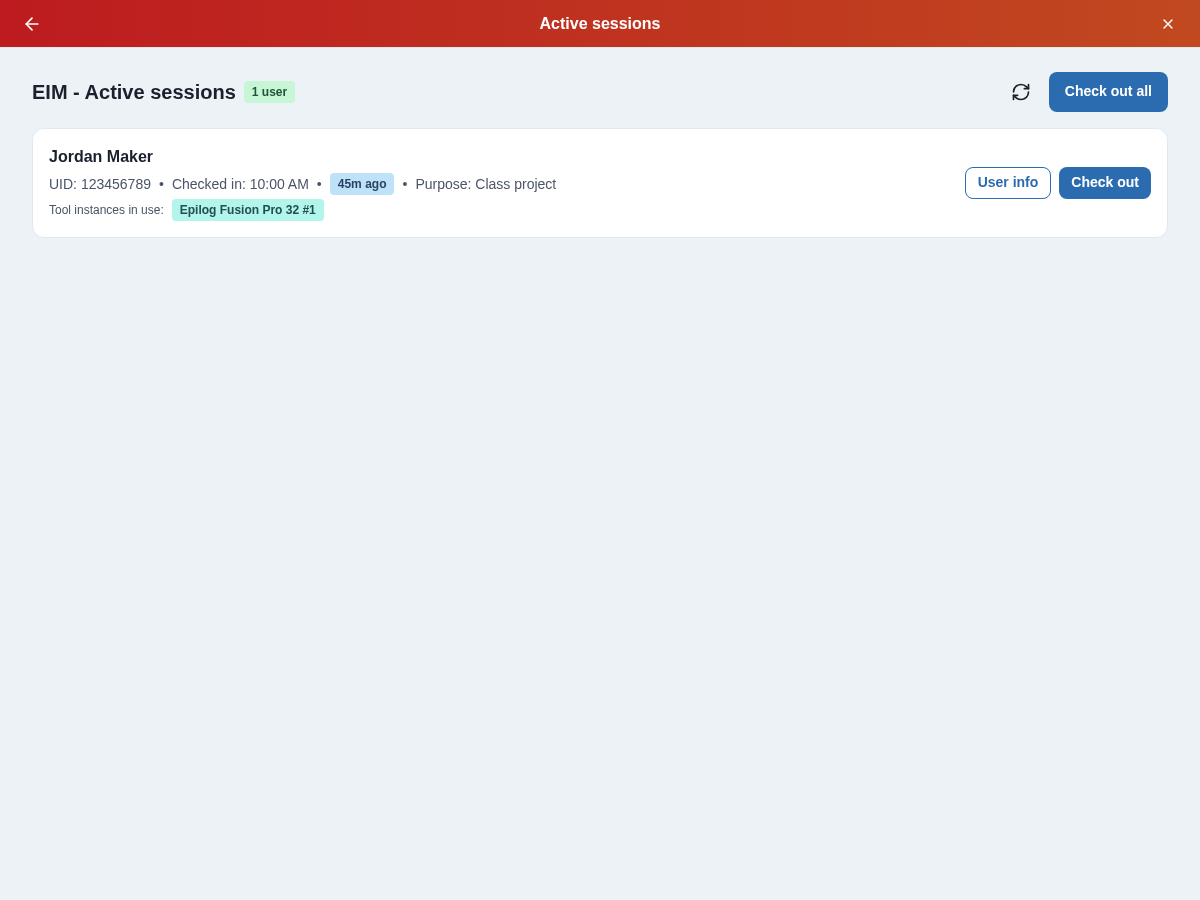
The Active sessions page shows you who is currently using your makerspace and what equipment they're using. It updates automatically the moment someone checks in or out — no refresh needed.
Open Adminland, select your space, then choose Admin tools → Active sessions. The separate Space status display remains available where offered.
Overview
The Active sessions page provides:
- Real-time view of active users
- At-a-glance information about active users, including badges, space visit time, previous visits counter, and check-in purpose
- Equipment currently in use
- Live updates pushed from the server as sessions start and end
Understanding active sessions
The Active sessions page shows:
- Users: Currently checked-in users
- Tool instances in use: Individual units each user has selected for their visit
- Duration: How long each user has been active
How live updates work
The page uses a persistent server connection (SSE — Server-Sent Events) to receive updates the instant a session changes. When someone checks in or out, the server pushes an event to every open Active sessions page for that space and the display updates immediately.
If your network connection drops briefly, the page reconnects automatically and re-fetches the current state so nothing is missed.
The page updates on its own, but if you ever want to force a manual refresh you can press the refresh icon in the top-right corner of the active sessions tab.